Not everyone doing fault injection wants a menu. A few of the researchers we’ve talked to at EMFI (electromagnetic fault injection) workshops eventually ask the same thing: once they understand the arm-and-pulse basics, how do they script a full parameter sweep instead of clicking through a terminal app? Our host tool for FaultyCat already answered that with a command-line interface and a full-screen TUI (text-based interface). The newest release adds a third way to drive the board.
What is FaultyCat?
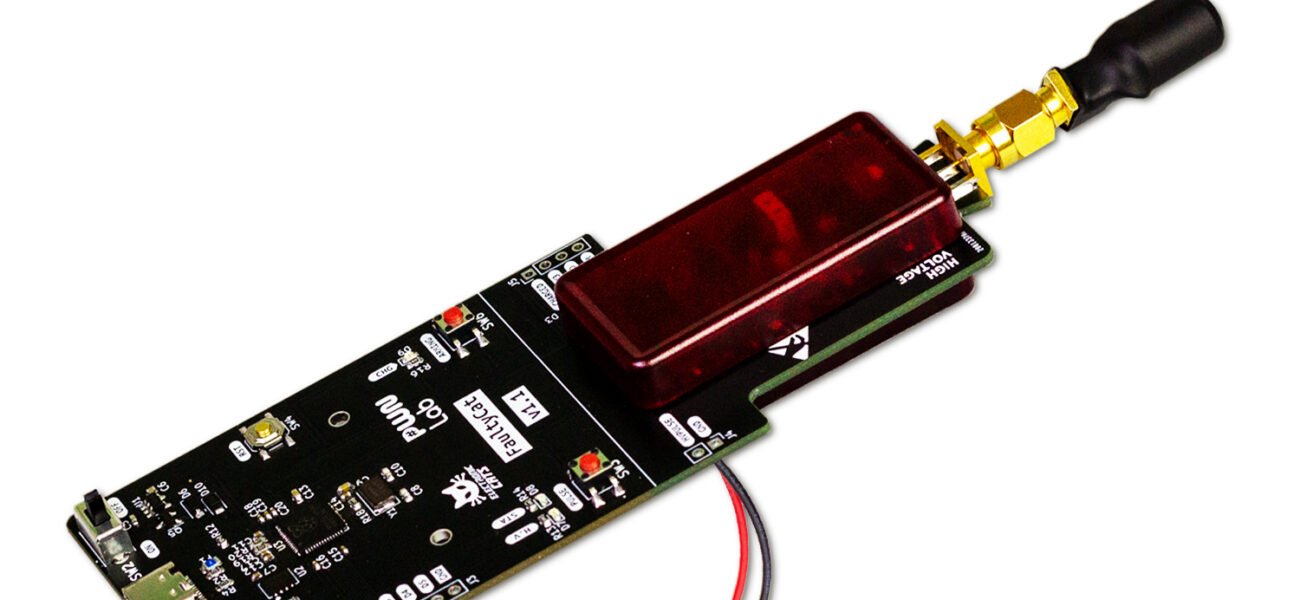
So what is FaultyCat, exactly? It’s our board for electromagnetic and voltage-glitch fault injection — the kind of testing you’d run on a chip you own or are authorized to assess, to see whether it survives a well-timed power or EM disturbance. faultycmd, the host tool, is how you talk to it from a computer: arm it, fire a pulse, sweep a range of timings, and read back what happened.
What’s new?
- A notebook API — a Python interface, not another command line:
faultycat-toolsv1.0.3 folds our standalonefaultycat-labpackage into the same repo as a second installable (import faultycat as fc). We built it in the shape of ChipWhisperer’s notebook workflow, since that’s what a lot of you already know: engines, a campaign runner, the pinout scanner, a UART target helper, and the sameGlitchControllerthe CLI uses underneath. - A
lab/tree ships with it — notebooks, Arduino target sketches, scripts and docs — installable with the[notebook]or[interactive]extra, so it stays out of your way if you never touch it. - Two fixes came along for the ride: a macOS bug where FaultyCat’s four USB CDC (serial-over-USB) interfaces collapsed into one, and a timing fix so
glitch()now waits for the high-voltage capacitor to actually report charged before firing.
Why build a third interface instead of just improving the TUI? Because a sweep you want to keep, tweak, and re-run next week belongs in a notebook cell, not retyped into a menu.
What can I do with it?
If you’ve been driving campaigns from faultycmd‘s TUI and hitting its ceiling — no version control on your sweep parameters, no easy plotting — install the [notebook] extra and open one of the lab/ notebooks instead. The engines and campaign runner underneath are the same ones the CLI calls, so a script you write there behaves like what you already know, just easier to save and share with a labmate.
Where does that actually save you time? Anywhere you’d otherwise rerun the same sweep by hand — a campaign that takes ten minutes of clicking becomes a few lines of Python you can diff against last week’s run.
This is still an add-on, not the default. If you just want to press a button and get a fault, faultycmd‘s TUI is still the fastest path in — nobody needs Jupyter for a single pulse.
Where do I get it?
The notebook API ships inside faultycat-tools v1.0.3; install it with the [notebook] extra. Don’t have the board yet? Start with the FaultyCat ficha.
Happy glitching!